A course archive is a compressed package file (a zip file) containing all the information of an course web site. While opening the zip file on your computer won't get you any useful information, the archive can be restored to a course web site. If you restore the content yourself, you'll get an exact copy of all the course's content, but not student grades or activity. If you need student data as well, you'll need to contact the Instructional Design Studio to have the course fully restored.
Archiving a course is an easy process.
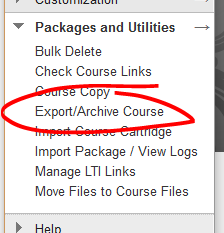
Inside the course you want to archive, open Packages and Utilities under the course management menu then select Export/Archive Course.
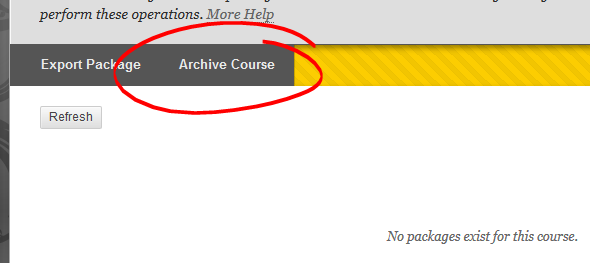
On the archives page, you'll see any archives that you've already created. If this is your first visit to this page, you'll probably see a "No packages exist" message. That's to be expected. Click the ARCHIVE COURSE button to start the archive process.
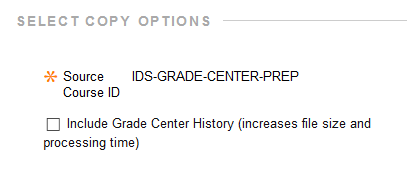
We recommend going with the defaults on the Archive course page. The option to Include Grade Center History means all yoru students' grade center data is kept, not just the most current information. If, for...
A course archive is a compressed package file (a zip file) containing all the information of an course web site. While opening the zip file on your computer won't get you any useful information, the archive can be restored to a course web site. If you restore the content yourself, you'll get an exact copy of all the course's content, but not student grades or activity. If you need student data as well, you'll need to contact the Instructional Design Studio to have the course fully restored.
Archiving a course is an easy process.
Inside the course you want to archive, open Packages and Utilities under the course management menu then select Export/Archive Course.
On the archives page, you'll see any archives that you've already created. If this is your first visit to this page, you'll probably see a "No packages exist" message. That's to be expected. Click the ARCHIVE COURSE button to start the archive process.
We recommend going with the defaults on the Archive course page. The option to Include Grade Center History means all yoru students' grade center data is kept, not just the most current information. If, for example, a student had three attempts on a test with only the third being accepted as the final grade, checking the "Include Grade Center History" box would preserve all those attempts. If you don't check this box, then only the attempt used for the final grade would be carried over into the archive.
Under file attachments, the default option (copy links and include copies of files) ensures all the actual content of the course is preserved. The other option ("Copy only links") does not include the actual files in the archive. We strongly recommend archiving the files as well as the links.
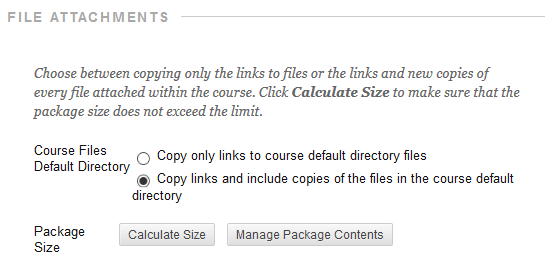
If you'd like to archive just some of the files, you can click the MANAGE PACKAGE CONTENTS button. Checking a file on the Manage Contents page excludes it from the archive.
Click SUBMIT to start the archiving process.
Depending on the size of the course, it may take some time before the archive is ready for you to download. You'll get an email when the archive is ready.
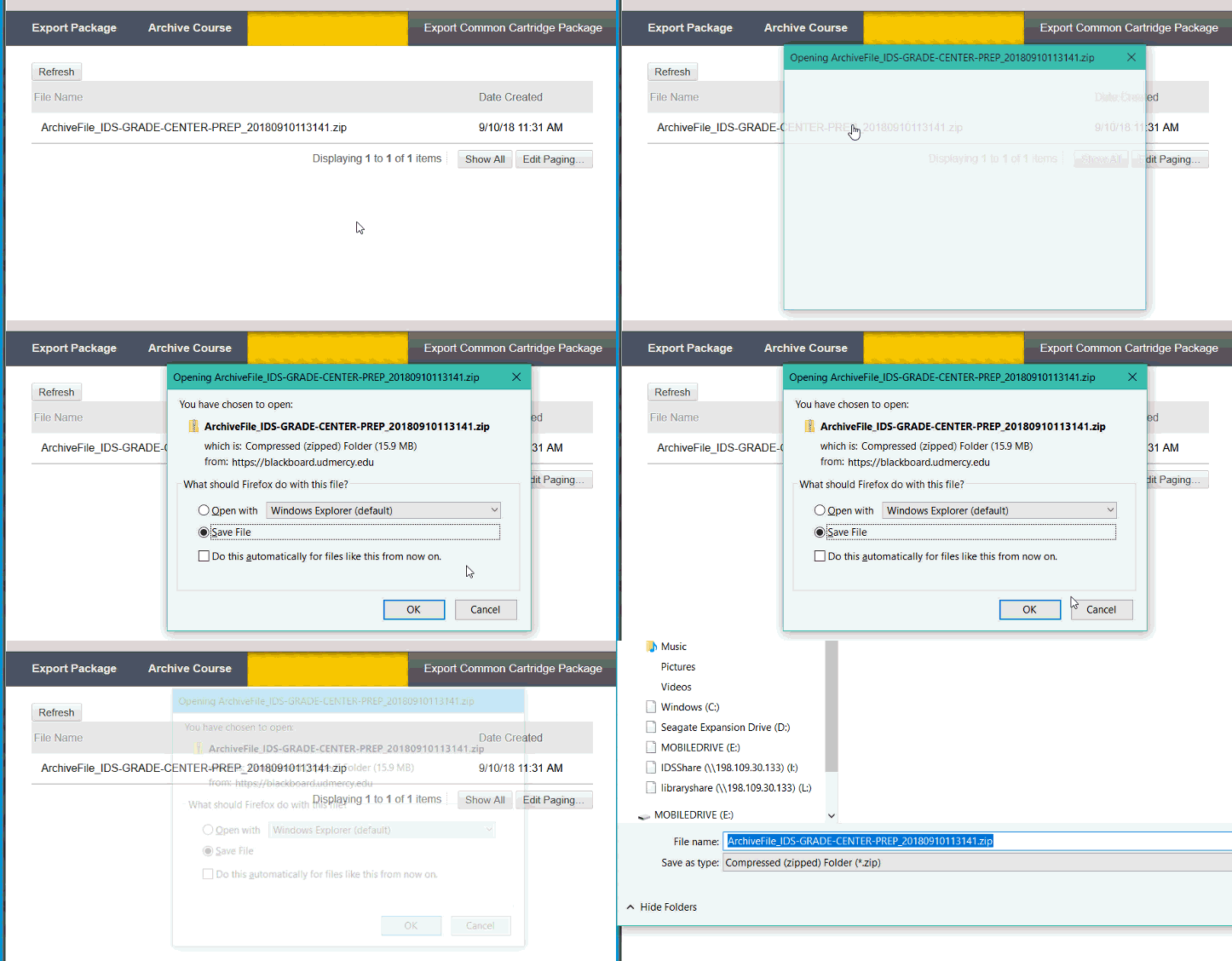
When you get that message, return to the Export/Archive Course page (if you've kept this page open since running the archive, hit the REFRESH button).
Then click on the link name to download the ZIP file. Save it to a safe place. Don't open it! In some circumstances, opening the zip can result in it not restoring properly when the time comes.