Email is one of the most effective ways to contact your professor and peers from your Blackboard course site.
Blackboard sends email to your University (Office 365) email account. Emails also appear to be sent from your Detroit Mercy email account, so any replies to those messages will be found there, not in Blackboard. As a result, be sure to regularly check your University email, as you're likely to be receiving important updates from your professors there.
When you send an email to multiple folks from Blackboard, Blackboard actually sends an email to each recipient individually. Say you send an email to three students in your course -- John, Jane, and Steve. When you use Blackboard to send the message, John receives an email from you, Jane receives an email from you, and Steve receives an email from you. If John decides to reply-all to your message, his reply will go only to you -- not Jane or Steve -- because they were not included in the message. This may make using Blackboard to schedule group activities a little more difficult, so keep this in mind.
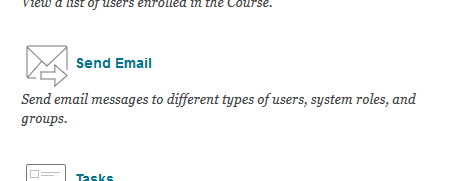
The process of sending emails from Blackboard is quite simple. Simply locate the SEND EMAIL tool in your course site. The easiest and most reliable place to find the email tool is by clicking TOOLS in the course menu, then selecting SEND EMAIL. [Faculty can also find SEND EMAIL under the COURSE TOOLS heading].
Depending on how the course is set up, you'll be able to send...
Email is one of the most effective ways to contact your professor and peers from your Blackboard course site.
Blackboard sends email to your University (Office 365) email account. Emails also appear to be sent from your Detroit Mercy email account, so any replies to those messages will be found there, not in Blackboard. As a result, be sure to regularly check your University email, as you're likely to be receiving important updates from your professors there.
When you send an email to multiple folks from Blackboard, Blackboard actually sends an email to each recipient individually. Say you send an email to three students in your course -- John, Jane, and Steve. When you use Blackboard to send the message, John receives an email from you, Jane receives an email from you, and Steve receives an email from you. If John decides to reply-all to your message, his reply will go only to you -- not Jane or Steve -- because they were not included in the message. This may make using Blackboard to schedule group activities a little more difficult, so keep this in mind.
The process of sending emails from Blackboard is quite simple. Simply locate the SEND EMAIL tool in your course site. The easiest and most reliable place to find the email tool is by clicking TOOLS in the course menu, then selecting SEND EMAIL. [Faculty can also find SEND EMAIL under the COURSE TOOLS heading].
Depending on how the course is set up, you'll be able to send to different groups of course members -- All Users, All Student Users, All Instructor Users, Select Users, etc. We'll look at the Select Users option, as has an additional step (select who we want to send to) that the "All"-type options do not have.
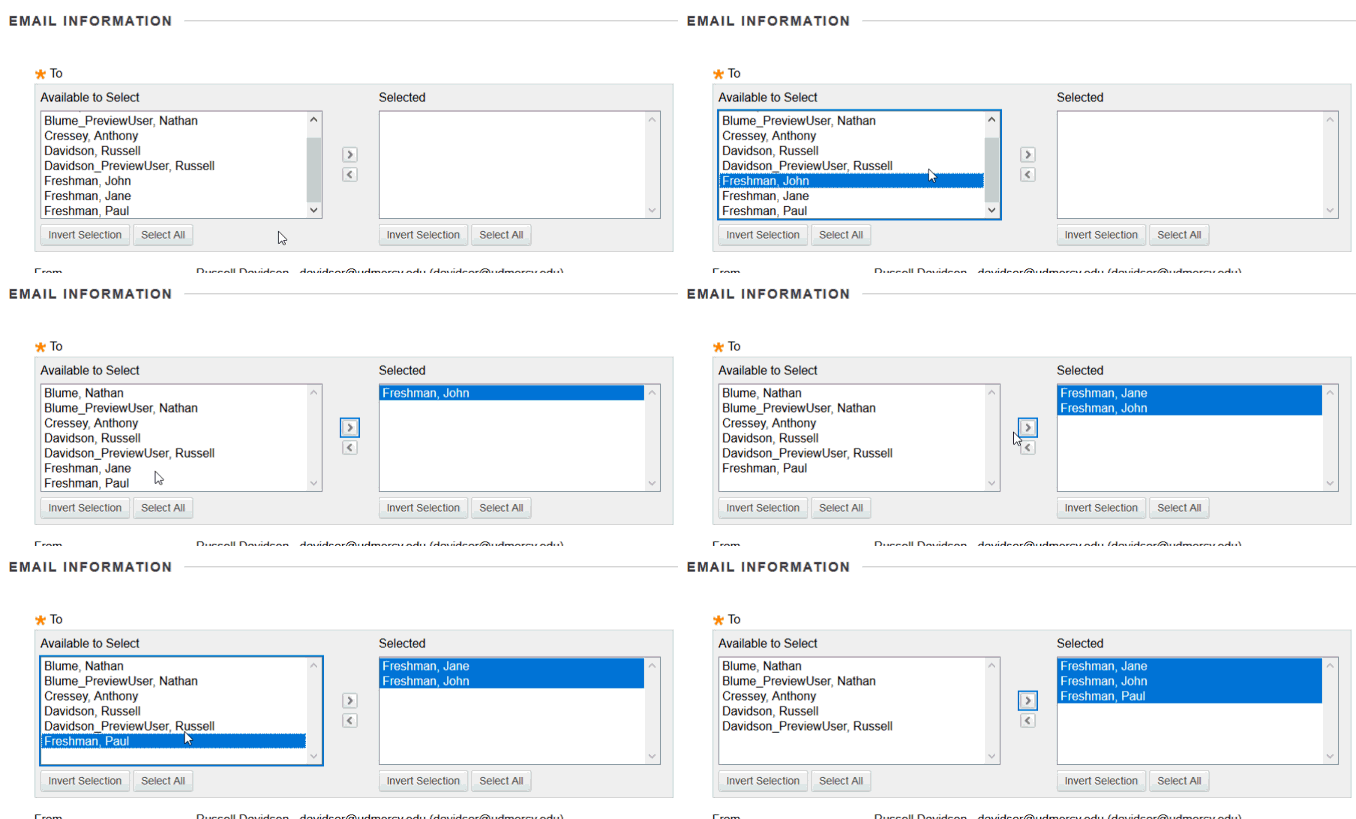
The first step when sending a message to select users, is to select the users (this is the option not included when sending to "all"). Click the names names of the folks you want to email in the "Available to Select" list on the left. You can select mutiple names at once by holding the CTRL key when clicking. Now click the arrow button to move the name(s) to the "Selected" box.
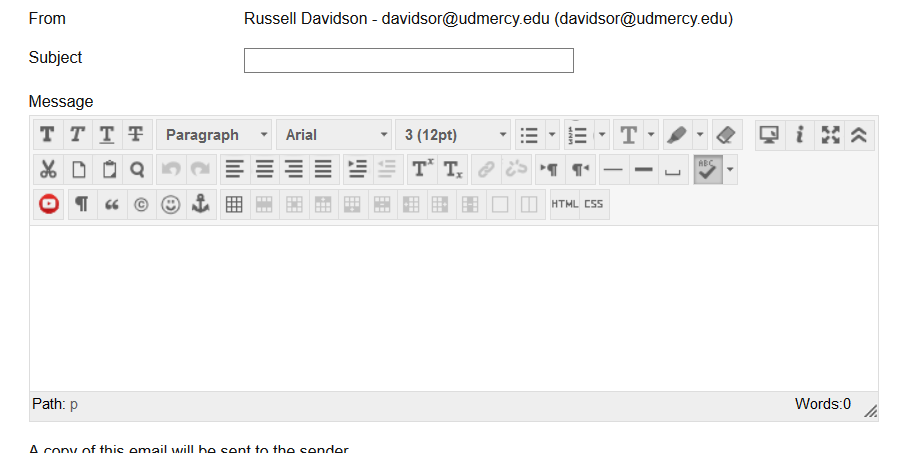
The rest is fairly standard for emailing. Enter your subject and message in the appropriate spaces.
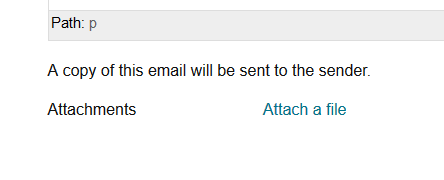
If you'd like to attach a file, click the "Attach a file" link, and browse your computer for the file you wish to include.
To send your email, just click SUBMIT.