Blackboard has a number of tools available to help you work collaboratively with a group. Depending on what your professor has activated, you may have the option to email your groupmates and use a wiki, discussion board, blog, and/or journal. These tools function the same as your course-wide analogs, but access to these tools is limited to your group members -- that is, a student in group 2 cannot read nevermind contribute to group 1's discussion board. Remember, your professors always have access to all your group's online interactions.
In addition to these tools which you may already be familiar with, the Groups section includes a couple tools that you may find helpful when working in a group.
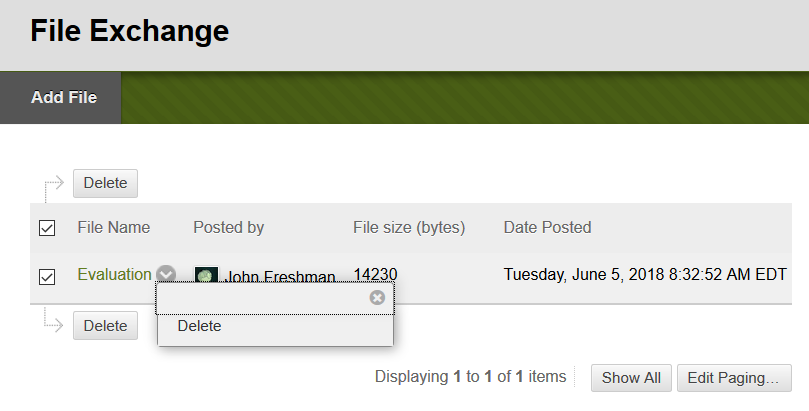
Possibly the most helpful is the group File Exchange. Any student in the group can upload a file to (or download a file from) the File Exchange. File exchange makes it easier to share files in a context that your professor can have access to. Be aware, though, that any student in the group can delete files from the file exchange.
Blackboard has a number of tools available to help you work collaboratively with a group. Depending on what your professor has activated, you may have the option to email your groupmates and use a wiki, discussion board, blog, and/or journal. These tools function the same as your course-wide analogs, but access to these tools is limited to your group members -- that is, a student in group 2 cannot read nevermind contribute to group 1's discussion board. Remember, your professors always have access to all your group's online interactions.
In addition to these tools which you may already be familiar with, the Groups section includes a couple tools that you may find helpful when working in a group.
Possibly the most helpful is the group File Exchange. Any student in the group can upload a file to (or download a file from) the File Exchange. File exchange makes it easier to share files in a context that your professor can have access to. Be aware, though, that any student in the group can delete files from the file exchange.
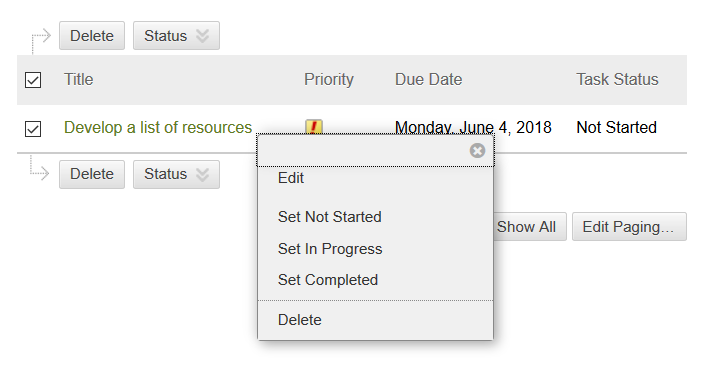
Group Tasks is another tool that can be useful organizing a group activity (like researching and developing a group presentation). The Group Tasks page lets you create any number of tasks, each of which has a name, description, due date, and priority. Once a task has been created, any member of the group can change the task's status (options include: Not Started, In Progress, and Completed), edit a task, or delete a task.
What about other tools?
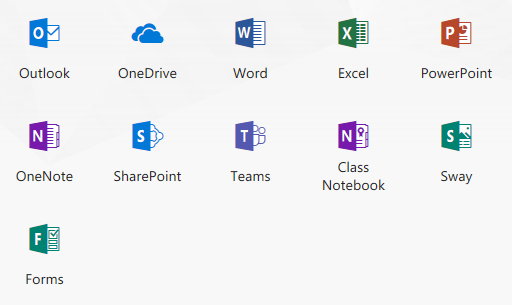
Students and faculty have access to a range of tools that can be used to facilitate group work. In particular, Microsoft Office 365 includes a number of tools that are geared toward collaboration. Microsoft Teams [ help with Teams ] is an excellent platform for sharing files and chatting with a group. If all you need to do is share files, OneDrive [ help with OneDrive ] may be the ideal tool to use.
If you're considering using off-Blackboard collaboration tools, please get in touch with your professor. They may prefer you use Blackboard provided tools (as it is easier for them to supervise when all activities collected in the same place), or they may want you to include their account in your permissions list so they too can directly access all your group's work.